Release Note
Appointment Type Management
Release date:
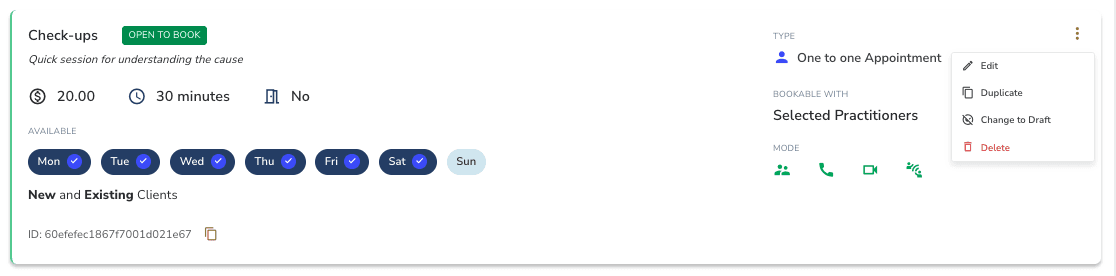
Appointment types can now be deleted, duplicated, and toggled between active and draft directly from the card.
Key Actions
• Delete — soft-deletes the appointment type, removing it from lists and blocking new bookings
• Duplicate — create a copy of any appointment type to use as a starting point
• Toggle Active/Draft — switch an appointment type between active and draft status
Good to Know
Deleted types are soft-deleted — they’re removed from lists and blocked for new bookings, but existing appointments, pending requests, reserved slots, and care pathway items that reference them continue to work. Deleted types appear as "(Deleted)" wherever they’re still referenced.