Release Note
Broadcast Send History & Draft Management
Release date:
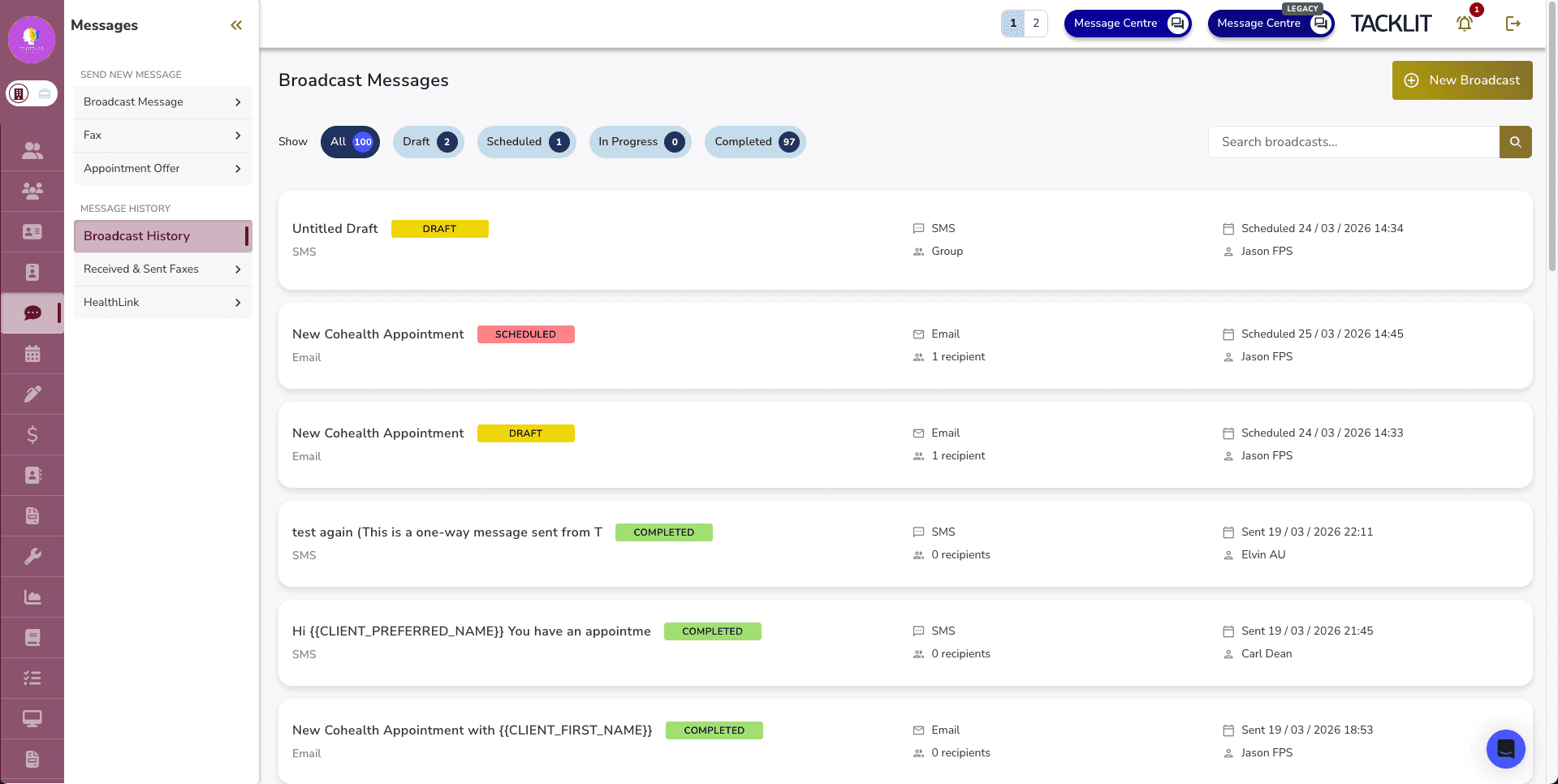
A new Broadcast Send History view and full draft management system for broadcast messages, allowing clinicians to track past broadcasts and save work in progress for later.
Broadcast History
A dedicated history list shows all broadcast messages with status tabs to filter by:
• All
• Draft
• Scheduled
• In Progress
• Completed
Search and pagination are included for easy navigation through past broadcasts.
Save as Draft
Both SMS and Email broadcasts can now be saved as drafts. The draft preserves:
• Channel type (SMS or Email)
• Message content
• Recipients and send-to option (All Clients, Specific Clients, or Group)
• Scheduled time
Resume Draft Editing
When you open a saved draft, the full state is restored — including email template selection, preview, subject line, recipient list, and send-to option. You can pick up exactly where you left off.
View Completed and Scheduled Broadcasts
Click into any completed or scheduled broadcast from the history list to view its full details, including the message content, recipients, and delivery status.
Good to Know
This feature builds on the recently released Email Channel and SMS Templates for broadcast messaging, completing the broadcast workflow with history tracking and draft support.