Release Note
Dr Flow Sidebar Navigation Sync
Release date:
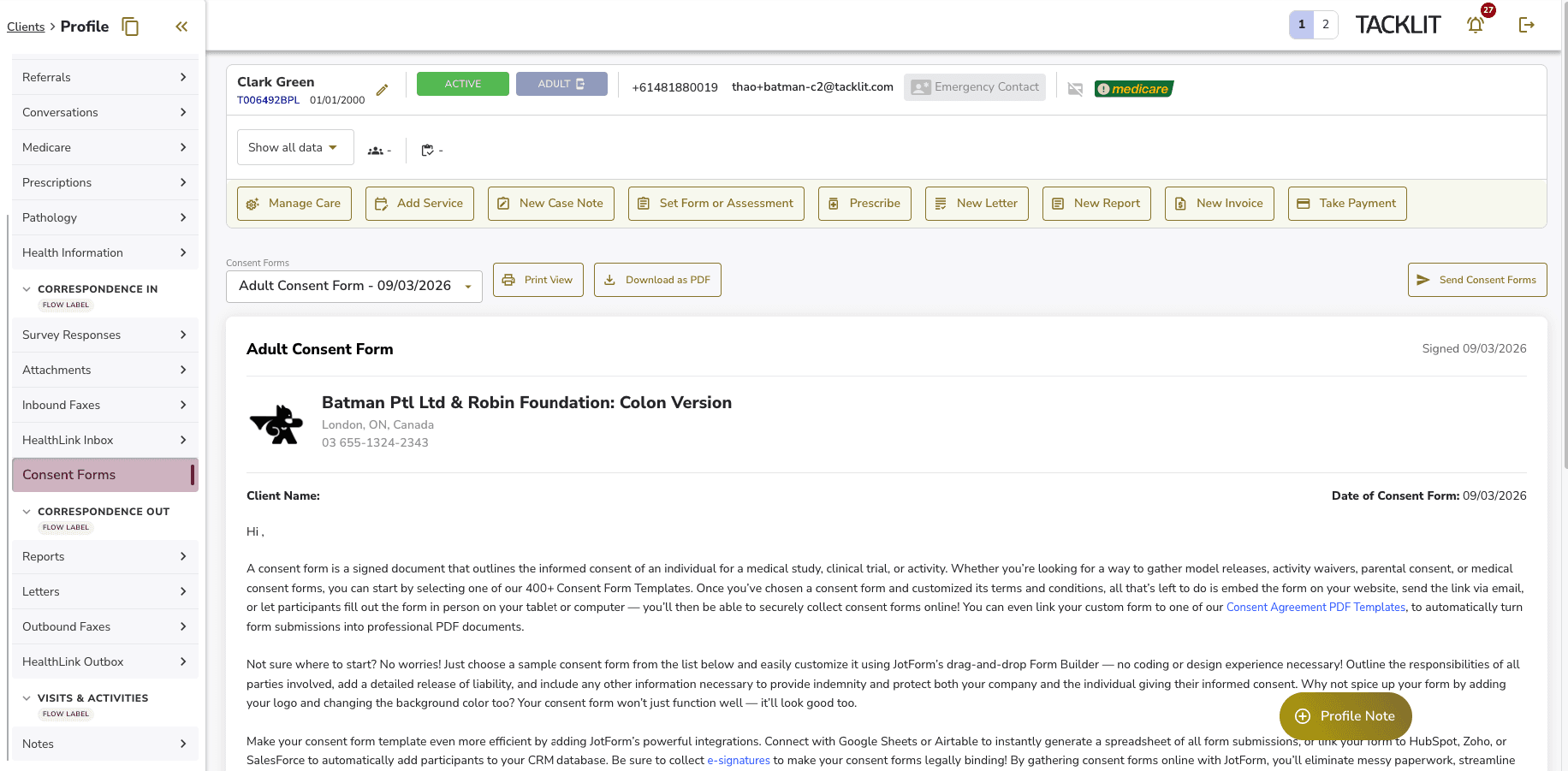
The client profile sidebar now syncs with Dr Flow session tabs when the Dr Flow feature toggle is enabled. Tabs are organised into collapsible groups matching Dr Flow’s structure, with new dedicated tabs for faxes, HealthLink messages, and consent forms.
How It Works
When Dr Flow is enabled, the sidebar re-organises into three collapsible groups:
• Correspondence In — Survey Responses, Attachments, Inbound Faxes, HealthLink Inbox, Consent Forms
• Correspondence Out — Reports, Letters, Outbound Faxes, HealthLink Outbox
• Visits and Activities — Notes
Each group is marked with a “Flow Label” badge. All other tabs (Profile, Activity, Assessments, Invoices, etc.) remain as flat items above the groups.
Key Changes
• Faxes previously shown together inside Attachments are now split into separate Inbound and Outbound tabs
• HealthLink messages are similarly split into Inbox and Outbox
• Consent Forms has its own standalone tab following the same UI pattern as Letters and Reports
• Groups automatically hide if all their sub-tabs are hidden due to permissions
• Attachments tab no longer includes fax or HealthLink folders
Good to Know
When Dr Flow is disabled, the sidebar reverts to its original flat layout with no visible changes.