Release Note
Finance Settings in Control Panel
Release date:
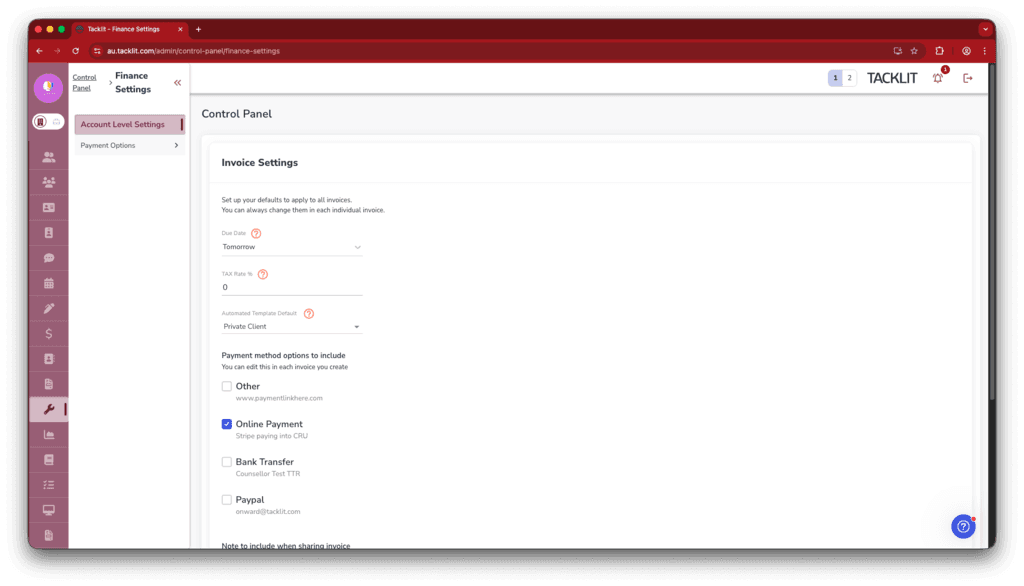
We’ve moved your Finance Settings out of the Invoices page and into the Control Panel, giving them a dedicated home that’s easier to find and navigate.
What Changed
• Finance Settings now lives under Control Panel in the left sidebar, alongside Calendar Settings and Email Templates
• Two sections inside: Account Level Settings (invoice defaults, tax rates, templates) and Payment Options (bank details, Stripe, PayPal)
• The old Finance Settings dropdown on the Invoices page now links directly to the new location — no more pop-up modals
For Standard Users
The page opens straight to Payment Options, since that’s the section relevant to your role.
For Admins and Practice Managers
• You’ll see both sections and can switch between them using the tabs at the top
• Everything works exactly the same as before — just in a better home