Release Note
Test Event for Automation Rules
Release date:
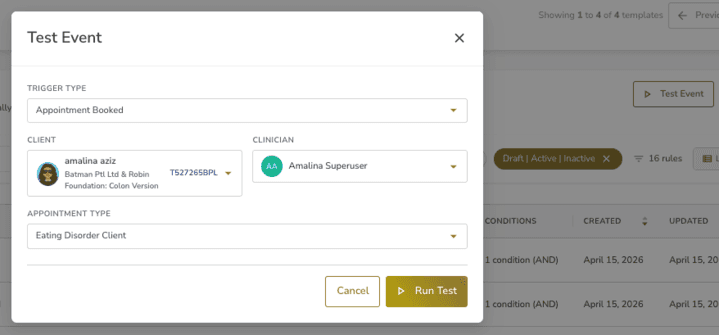
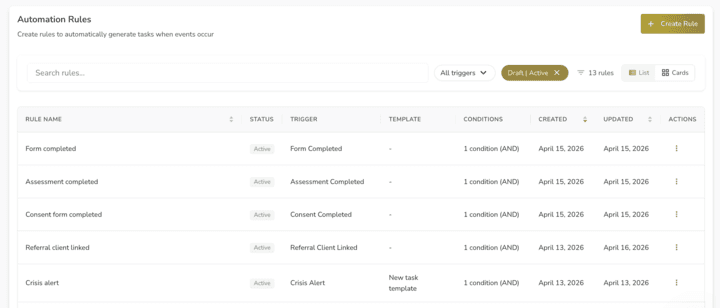
Admins can now test automation rules before real events happen. The new "Test Event" button in Task Settings > Automation Rules lets you simulate any trigger against a specific client and clinician, then see exactly which rules fire and why.
How It Works
1. Go to Task Settings > Automation Rules
2. Click "Test Event" (next to Create Rule)
3. Pick a trigger type and select a client and clinician
4. Optionally select a resource (e.g. which appointment type, which assessment)
5. Click "Run Test". Results show immediately
What Each Rule Shows
• Whether it would fire or not (with reason)
• The action it would take (e.g. "Create task 'Follow-up' assigned to Dr Smith")
• Condition-by-condition trace showing expected vs actual values
Good to Know
No tasks, forms, notifications, or other actions are actually created. It's a read-only simulation.
Access
Admin users (Superuser).