Release Note
Client Profile Conversations Tab
Release date:
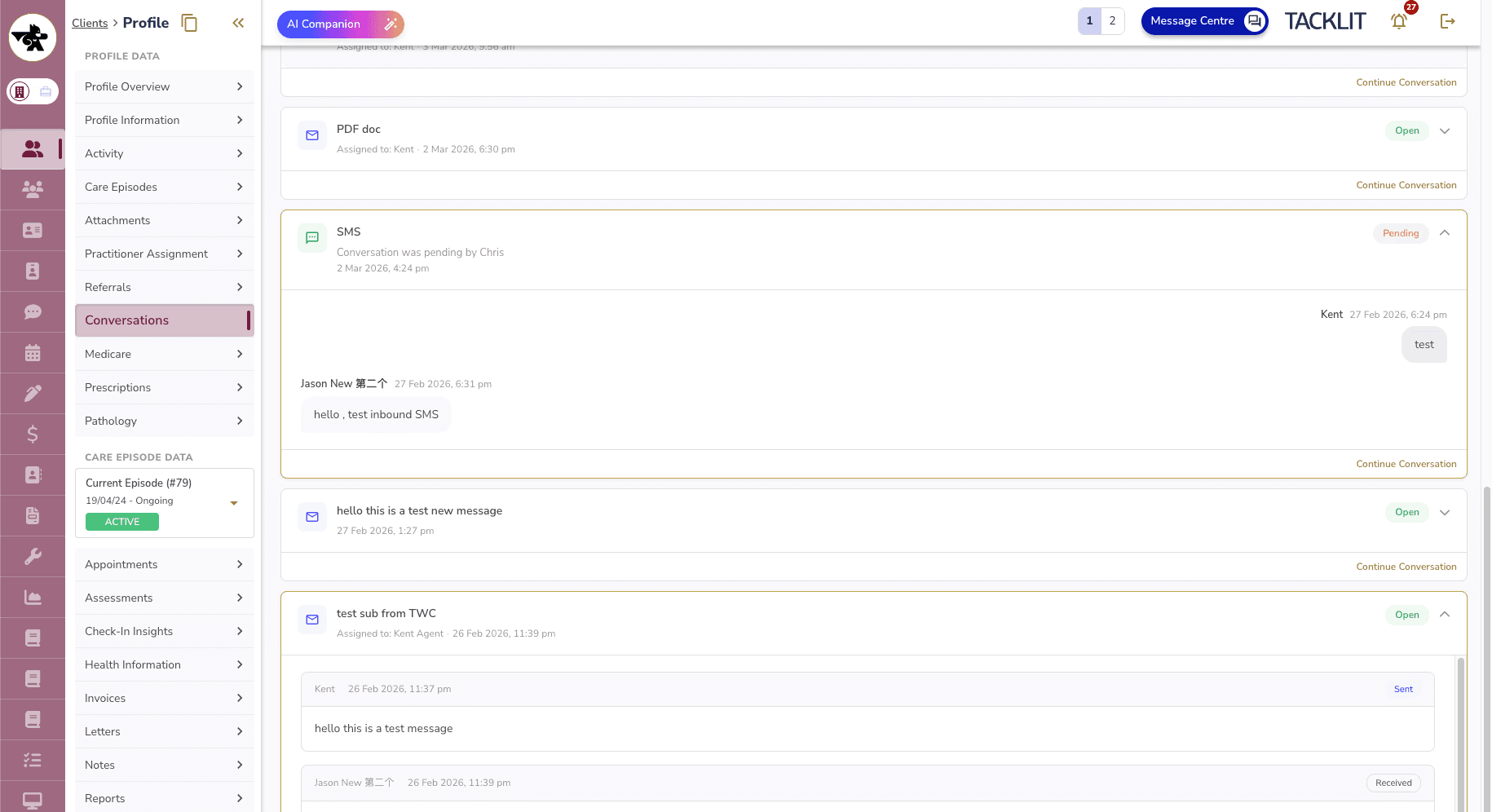
A new Conversations tab has been added to the client profile, allowing clinicians to view email and SMS conversations with clients directly. This provides a read-only overview of all correspondence history without leaving the clinician UI.
Where to Find It
Client profile sidebar > Conversations tab (visible when the feature toggle is enabled)
How It Works
• View all email and SMS conversation threads for a client in one place
• Filter conversations by channel type (All / Email / SMS)
• Search by subject, sender
• Expand any thread to read the full message history, including rich HTML email content
• Each thread shows: subject/inbox name, assigned agent, status (Open / Snoozed / Resolved), and last activity timestamp
Actions
• Click Continue Conversation to open the thread directly in the Message Centre for replying
• Attachment names and file sizes are displayed inline — to download, users are directed to the Message Centre
• Conversations listing auto-refreshes every 30 minutes