Release Note
Inline Room Editing for Calendar Appointments
Release date:
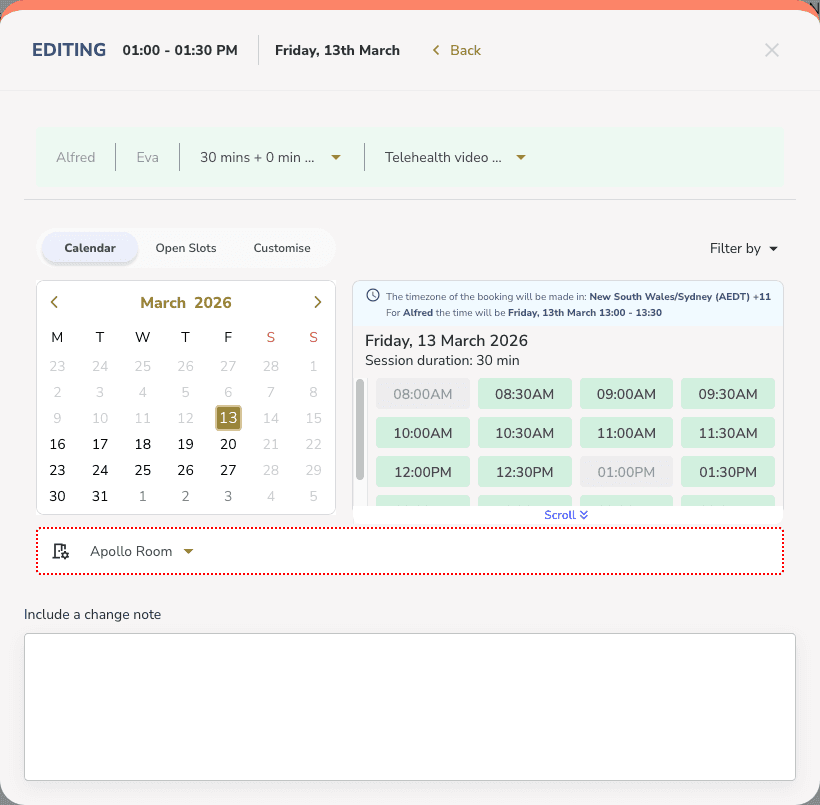
Clinicians can now change the room when editing any appointment type — including 1:1, group, staff, and activity appointments. Previously, room selection was only available during appointment creation.
How It Works
• Edit any appointment and change the assigned room directly
• The selected room stays in place when changing the time, date, or delivery mode
• If the room becomes unavailable at the new time, it's automatically cleared
• If a conflict arises, a warning appears to let you know
Good to Know
This applies to both appointment creation and editing, making room management more consistent across the calendar experience.