Release Note
Profile Overview Configurable Cards
Release date:
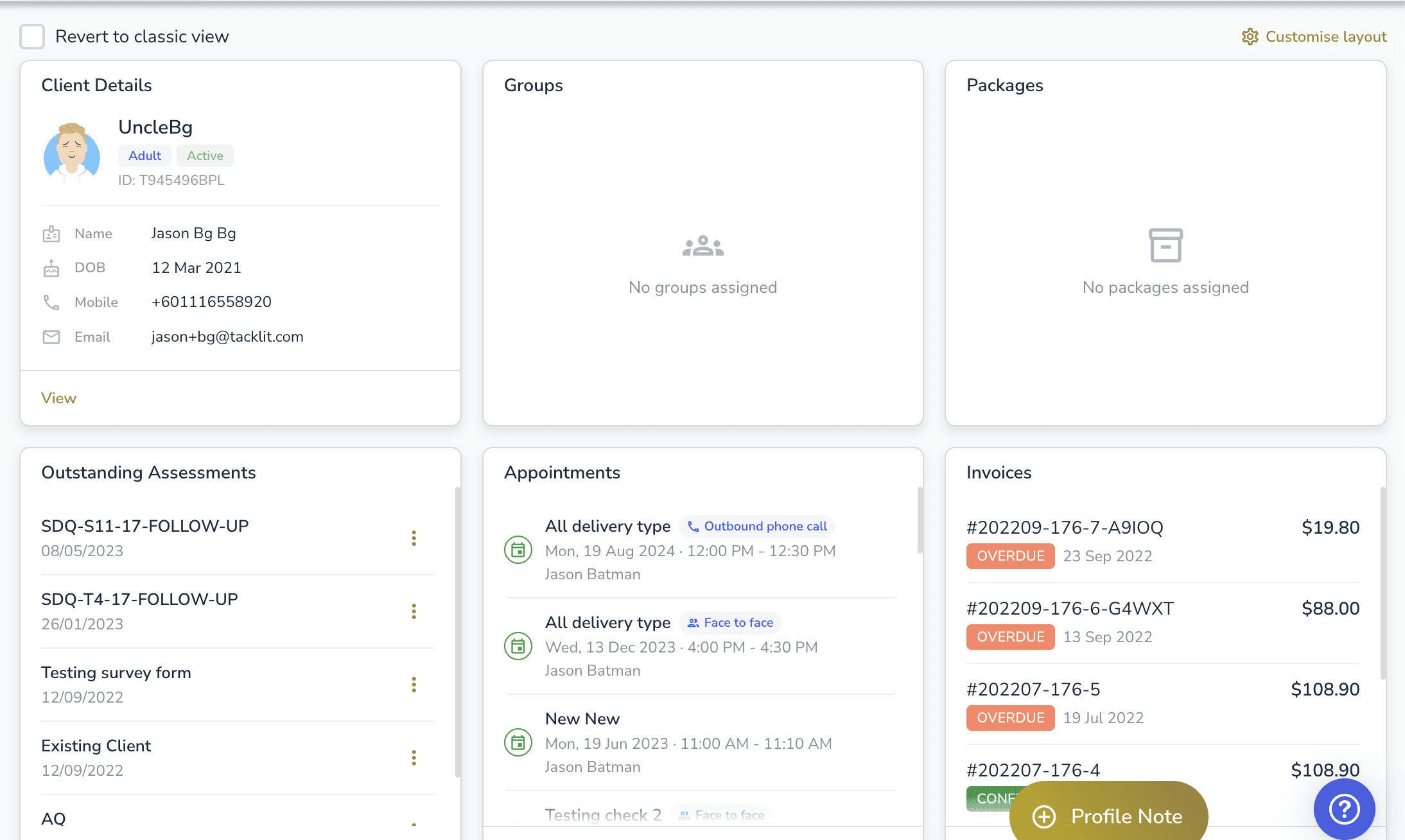
The client Profile Overview has been redesigned with a configurable card-based layout. Admins can customise which cards appear, clinicians can toggle between new and classic views, and dedicated subtabs have been added for key data.
Profile Overview Cards
• New configurable card-based overview replaces the old Profile Details page as the default view
• Admins can customise the layout via Control Panel > Profile Settings (drag-and-drop reordering, add/remove cards)
• All layout changes tracked in an audit log
• Available cards: Client Details, Appointments, Invoices, Referrals, Assessments, Outstanding Assessments, Consent Forms, Correspondence In, Correspondence Out, Groups, Packages, Key Contacts, Medical History, Current Medication, CDF (multiple supported with custom titles)
Classic View Toggle
• Each clinician can toggle “Revert to classic view” to switch back to the old Profile Details layout
• Preference is saved per clinician and persists across sessions
New Subtabs
• Packages — dedicated subtab with full table (name, status, funder, date, utilisation, episode, actions)
• Groups — dedicated subtab with full table (name, lead, joined date, status, stage, actions)
• Key Contacts — dedicated subtab for managing client contacts
• Consent Forms — now visible for all accounts (previously only available with DoctorFlow)
• Header group/package badges now navigate to their respective subtabs
Other Improvements
• Correspondence In/Out cards filter by selected episode of care
• Profile tags can now be added/removed directly from the header dropdown
• Clicking items on overview cards navigates to the correct subtab with scroll and highlight
• Card picker only shows card types relevant to your workspace’s enabled features
Good to Know
The new overview is enabled by default for all accounts. Individual clinicians can revert to the classic view at any time.