Release Note
Offline Access Codes
Release date:
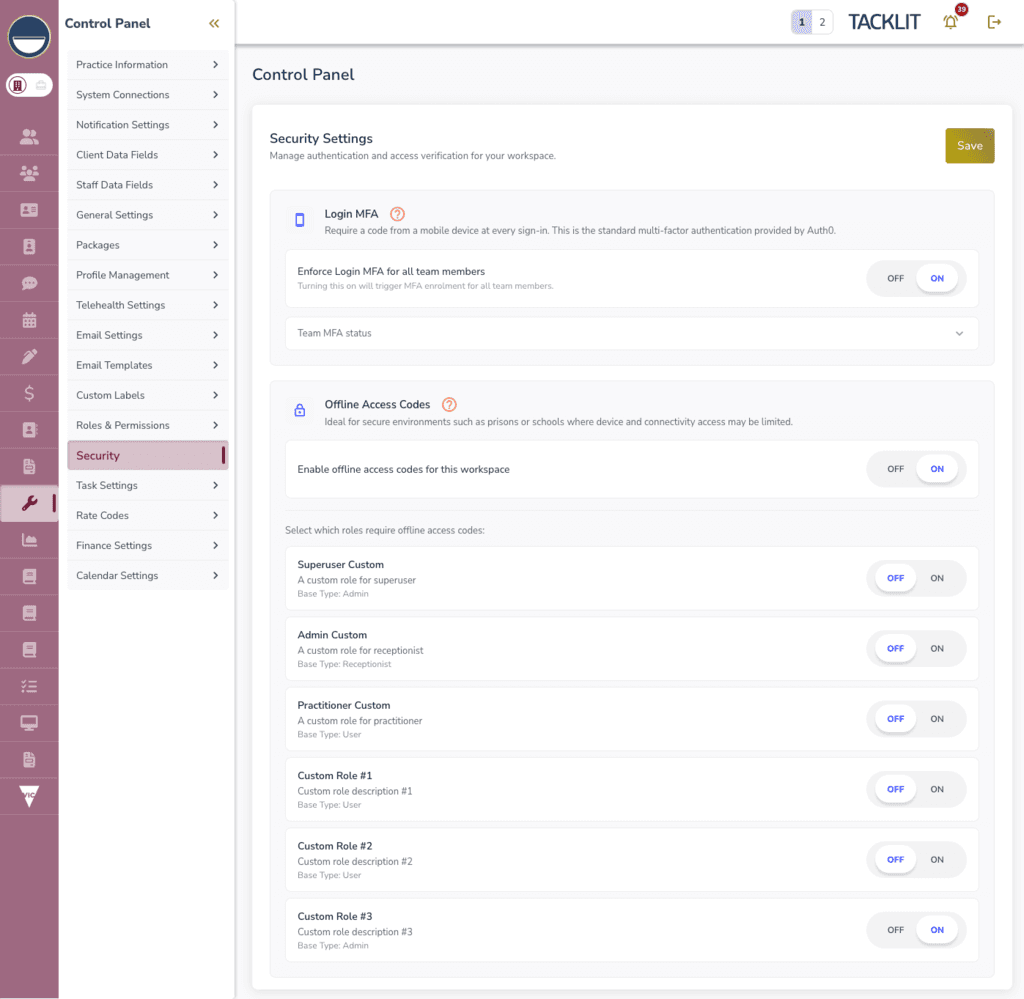
A new application-layer security feature adds a one-time code challenge at login. Ideal for secure environments such as prisons or schools where device and connectivity access may be limited. This works independently of Auth0 MFA.
How It Works
• An admin enables the feature via the Security tab > Offline Access Codes and selects which custom roles require codes
• Users in those roles see "Offline Access Codes" in their Control Panel to generate or regenerate codes (100 codes per batch, shown once, downloadable as CSV)
• Admins can also generate codes for practitioners via Team > Practitioner > Offline Access Codes
• At login, users with required roles see a 6-digit code entry screen before accessing the app
• Each code is single-use and securely hashed (never stored in plaintext)
Security Details
• HMAC-SHA256 code hashing
• Atomic code burning to prevent double-use
• Rate limiting: 5 verification attempts per 60-second window
• Audit logging for all MFA events
• Session persists across page refreshes but a new login requires a new code